Designing Editor — Fresh Proposal From Chaos to Clarity with Design, AI, and Purpose
A' Design Award (Bronze)
Wins A’ Design Award in 2023 for Intelehealth App UX/UI Design
90%
Boost in proposal efficiency through automation
40–60%
Reduction in workflow complexity through simplified processes
2.3×
Higher user engagement with personalized experiences
Project Brief
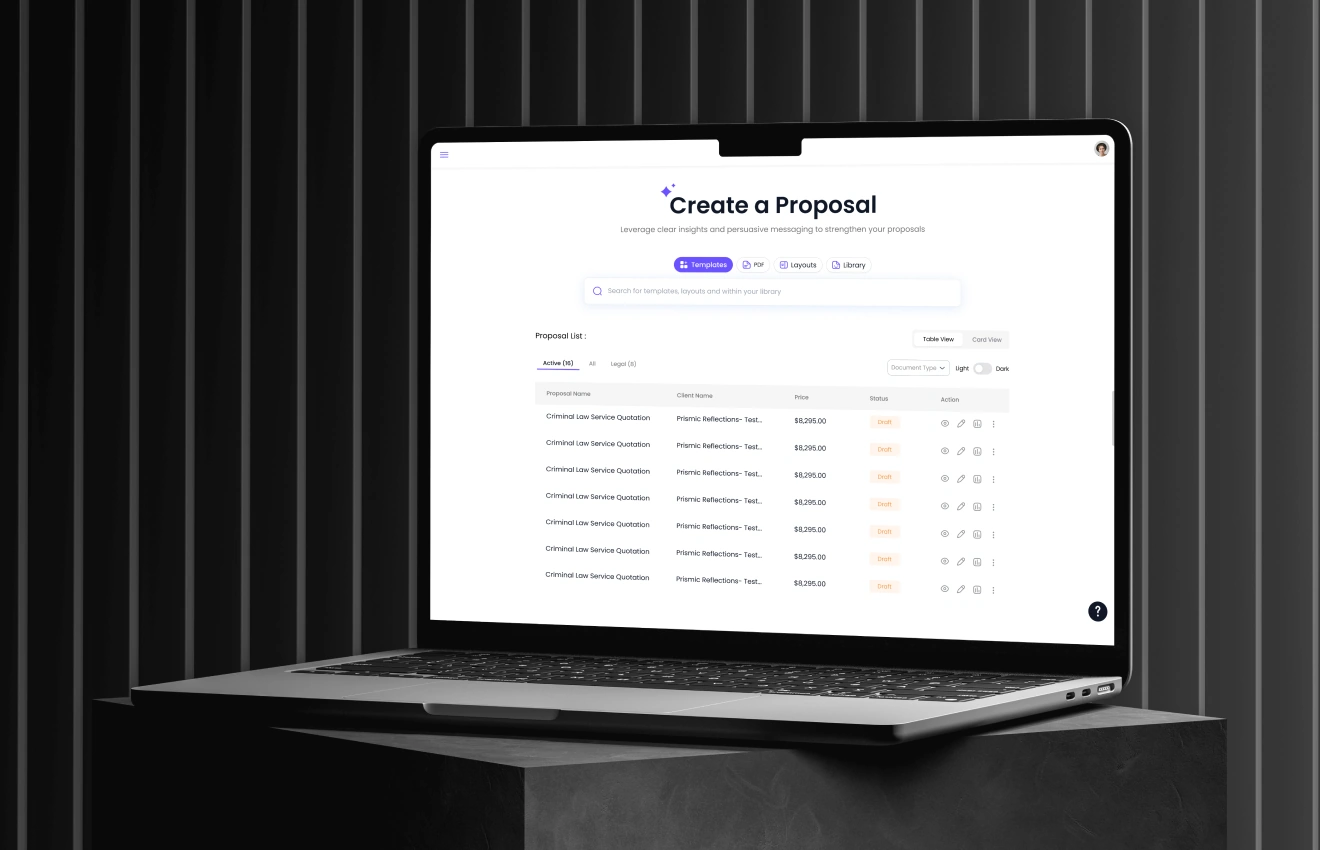
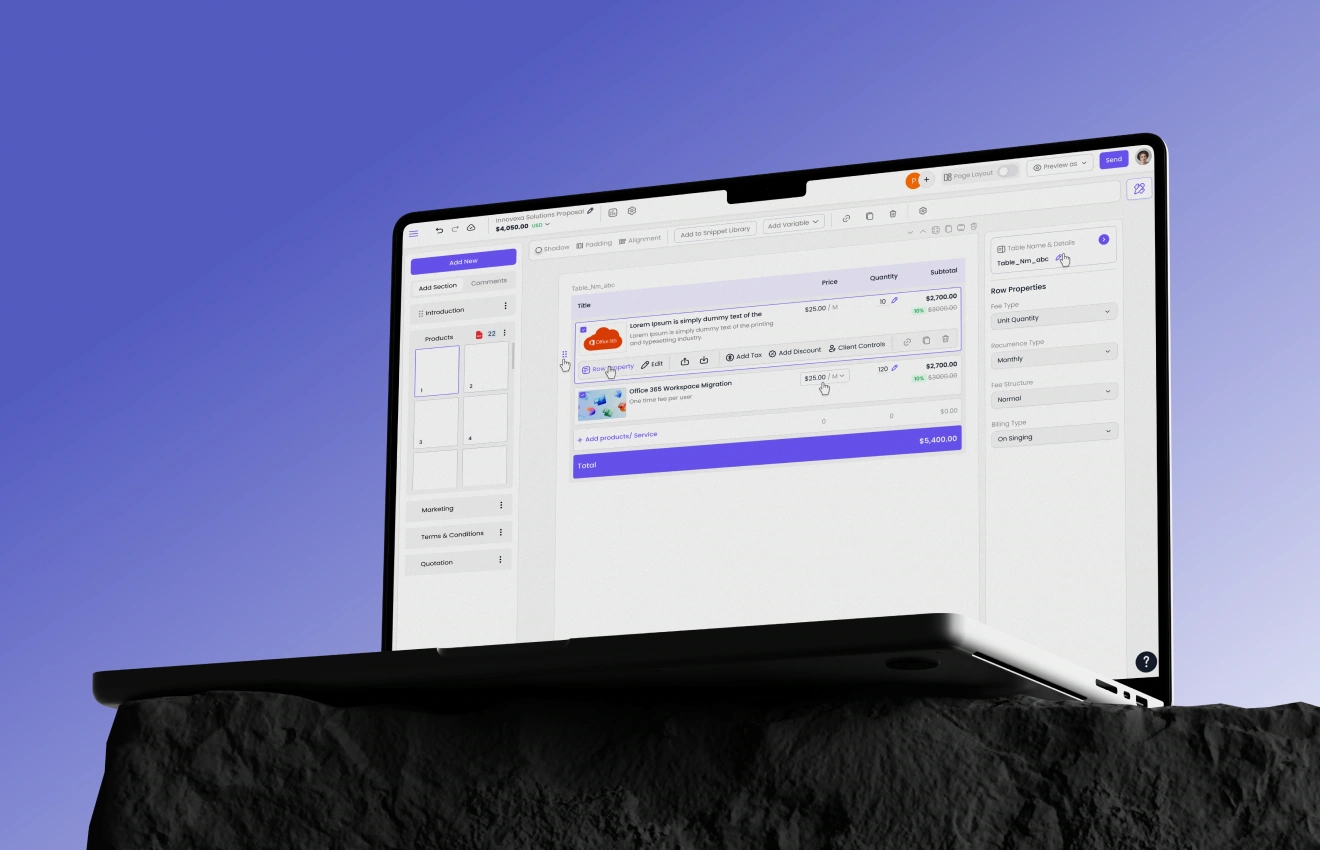
Fresh Proposal is a proposal-creation platform for business owners, finance, and sales teams to build and send quotations quickly.
The existing editor created friction—users felt overwhelmed, confused by editing modes, and often dropped off mid-way.
Prismic Reflections partnered with Fresh Proposal to redesign the editor end-to-end with a UX-first approach, improved visuals, and scalable systems.
Heading 1
Heading 2
Heading 3
Heading 4
Heading 5
Heading 6
Lorem ipsum dolor sit amet, consectetur adipiscing elit, sed do eiusmod tempor incididunt ut labore et dolore magna aliqua. Ut enim ad minim veniam, quis nostrud exercitation ullamco laboris nisi ut aliquip ex ea commodo consequat. Duis aute irure dolor in reprehenderit in voluptate velit esse cillum dolore eu fugiat nulla pariatur.
Significant drop-off within the editor, indicating friction and unclear task progression.
Complex and unintuitive navigation, resulting in a fragmented user experience.
High cognitive load, causing users to feel overwhelmed and disengaged.
Inconsistent visual identity across screens and components.
Objectives
Deliver a seamless, modern, and clean visual experience across the editor.
Improve usability through clear, predictable navigation patterns.
Establish a unified, contemporary visual language that aligns with the brand.
Introduce a multi-layered structure to reduce cognitive overload and support progressive disclosure.
The Solution
Streamlined user flows with reduced complexity and clearer interaction pathways.
Enhanced visual experience through refined layout, hierarchy, and contrast.
Two-level navigation system for intuitive browsing and task discoverability.
Reorganized content structure and information architecture for better clarity.
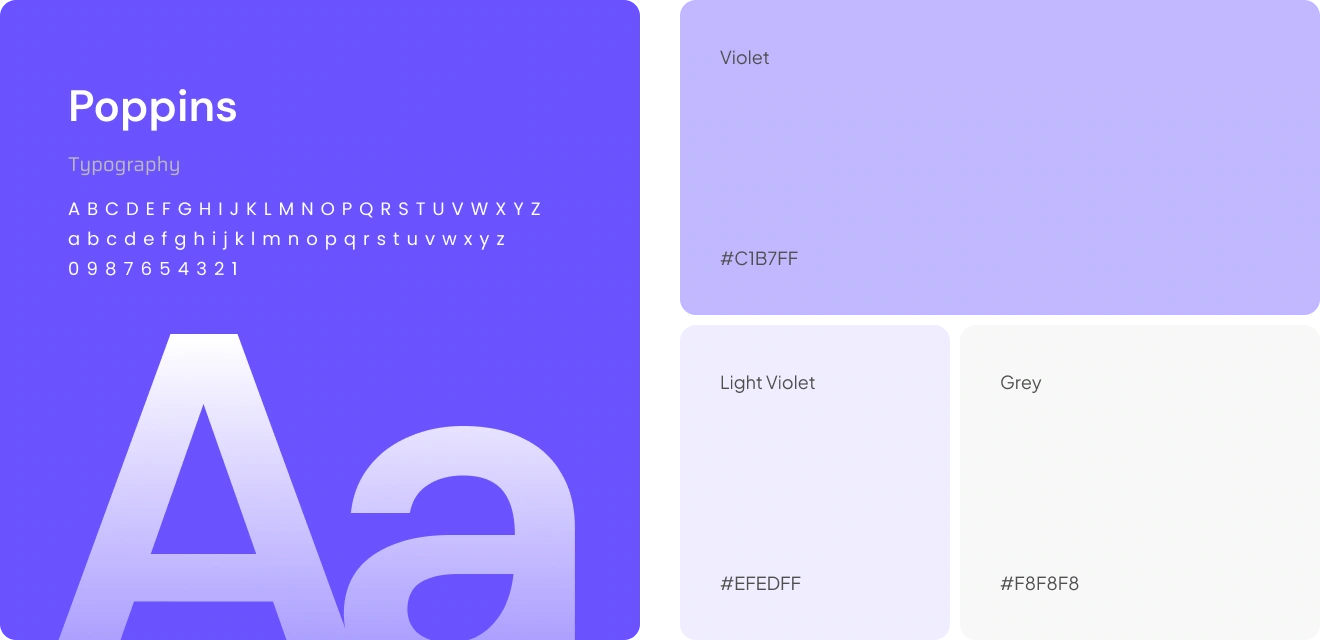
High-fidelity design system, ensuring consistency and scalability.
User Goals & Needs Addressed
Greater clarity and confidence while editing proposals.
Speed and efficiency, with fewer steps and optimized workflows.
Faster proposal creation through cleaner UI and simplified actions.
A professional, trust-building interface that supports decision-making and reduces friction.
Editor Entry Experience
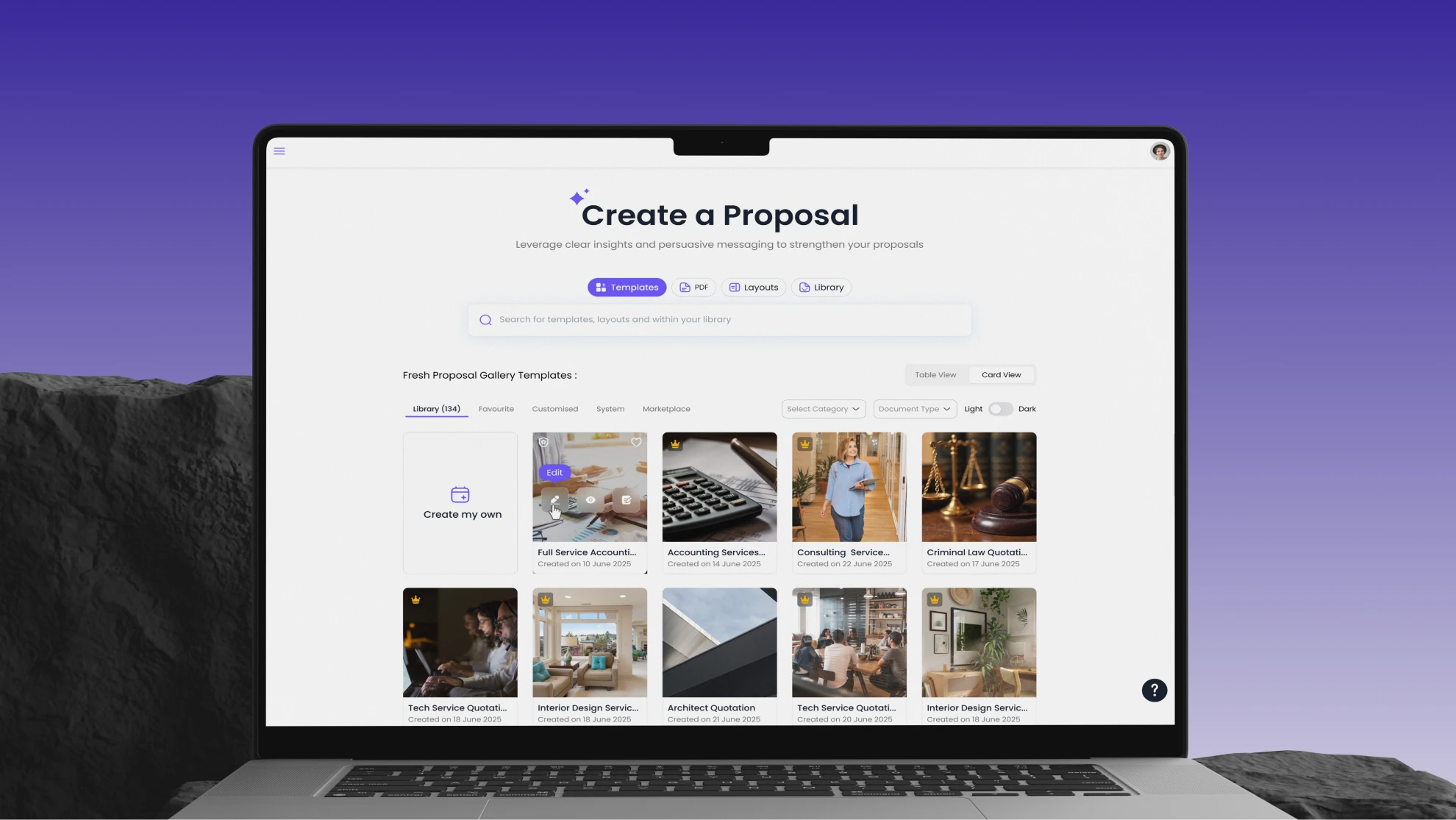
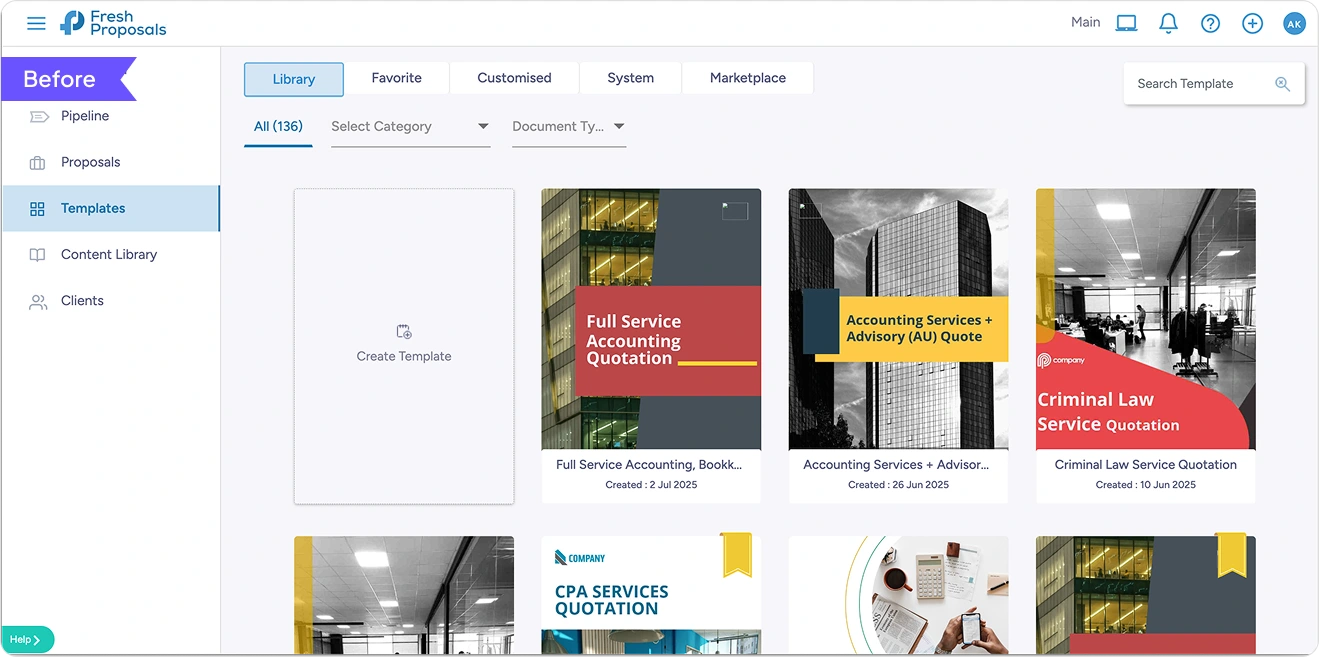
Before: The editor loaded with too many visible options at once, offering no clear starting point for users. This lack of guidance led to immediate cognitive overload, causing users to feel overwhelmed within the first few seconds and contributing to a high bounce rate from the editor landing page.
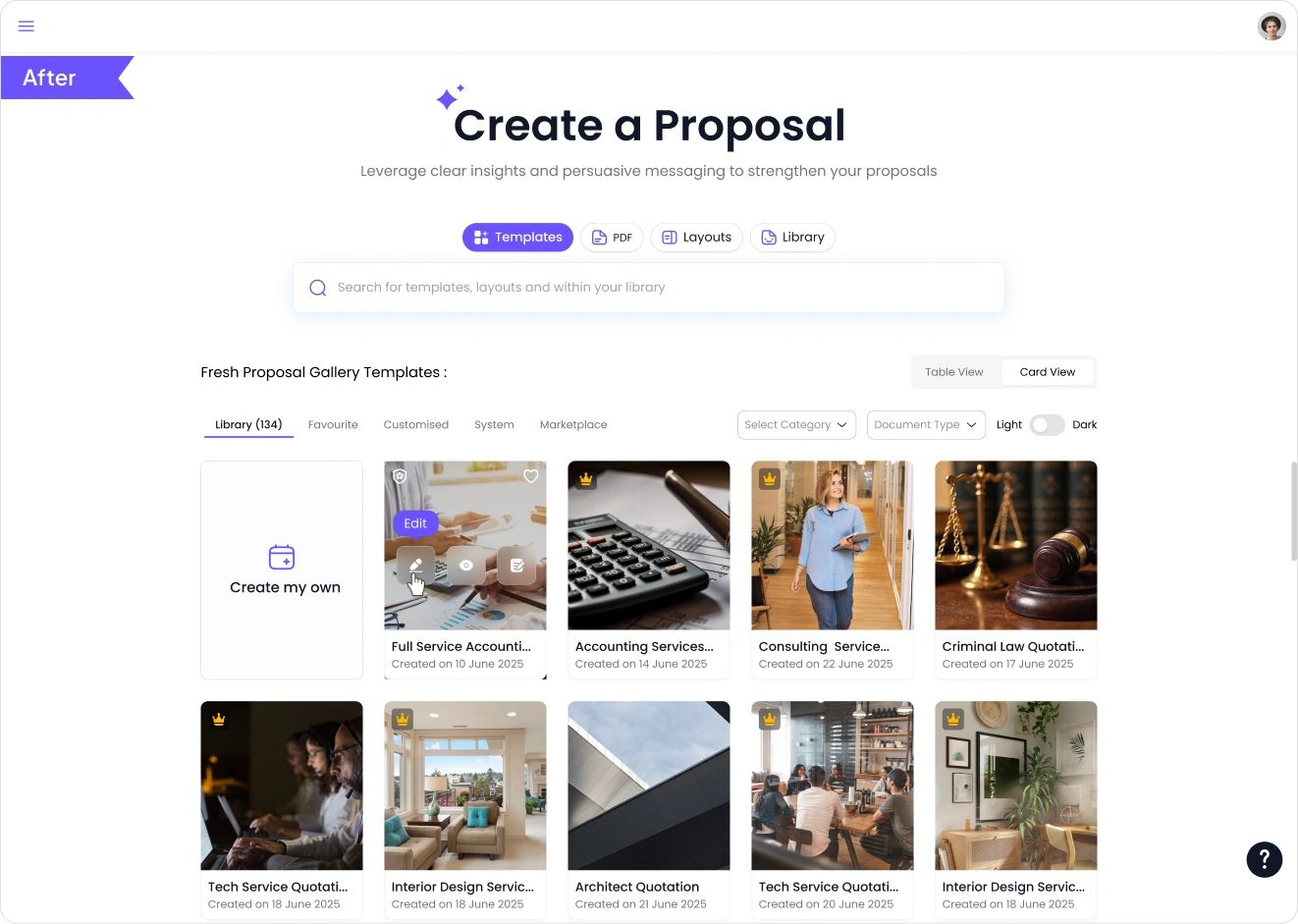
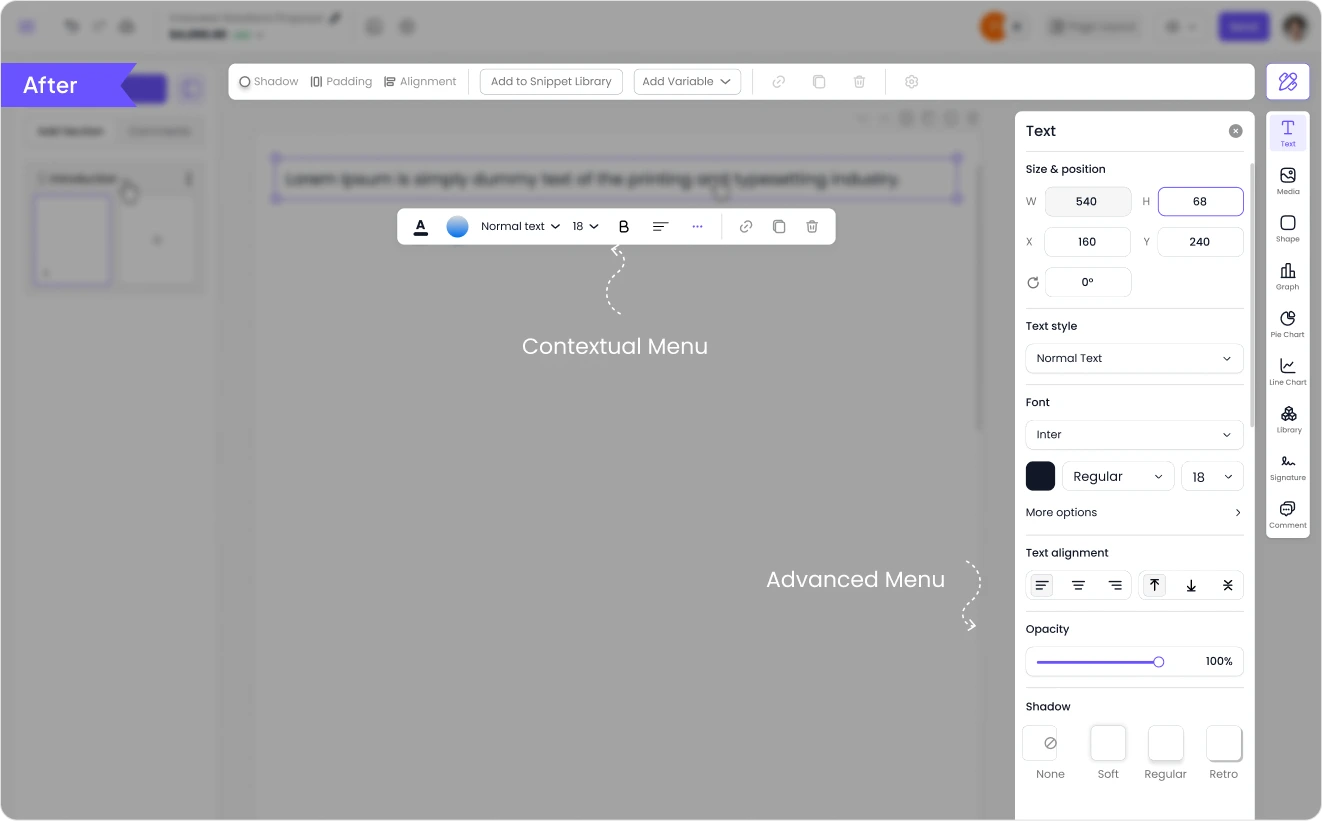
After: A clear primary action (Start / Edit / Use Template) was prominently highlighted to guide user entry. Advanced options were progressively disclosed within a clean layout supported by strong visual hierarchy, making the editor feel structured, intuitive, and far less intimidating.
Navigation & Information Architecture
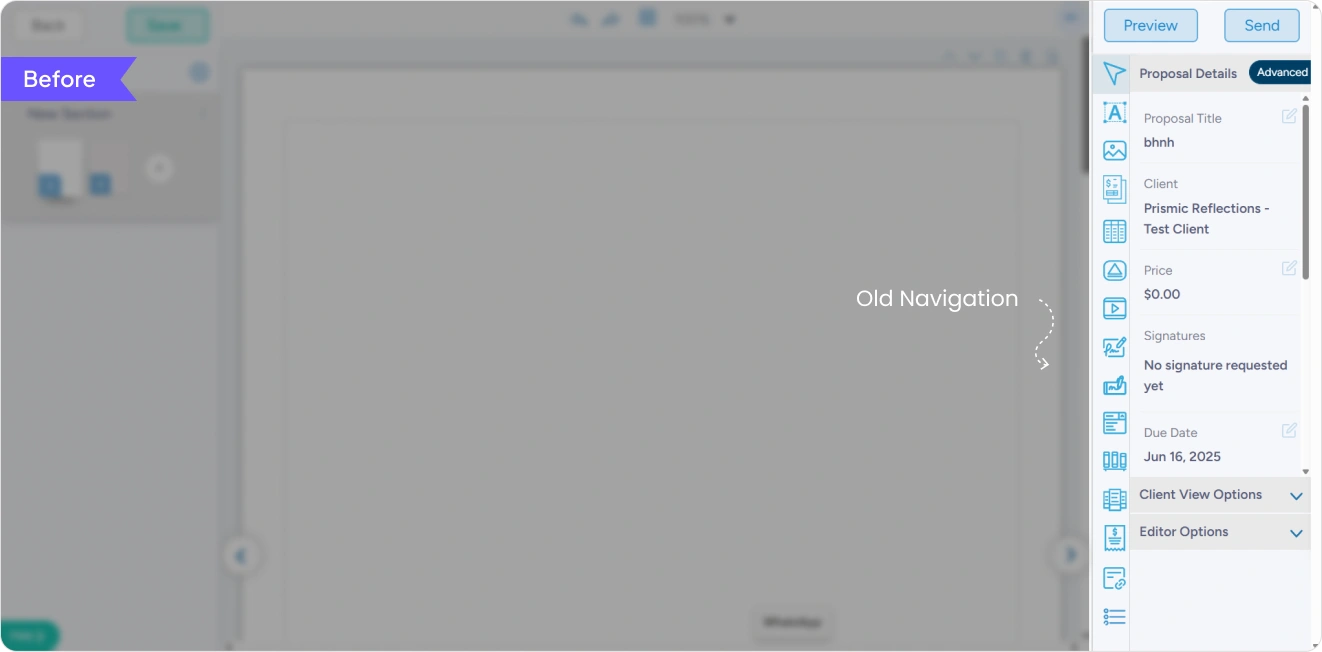
Before: The navigation was flat, with too many options presented at the same level and no clear separation between basic and advanced actions. As a result, users struggled to locate frequently used tools and experienced mental overload due to poor grouping and lack of hierarchy.
After: A two-level menu structure was introduced to establish clear hierarchy, separating core actions from advanced features. Navigation was reorganised around user tasks, enabling logical grouping and faster access to high-frequency actions, resulting in a more efficient and intuitive experience.
Frictionless Content Insertion
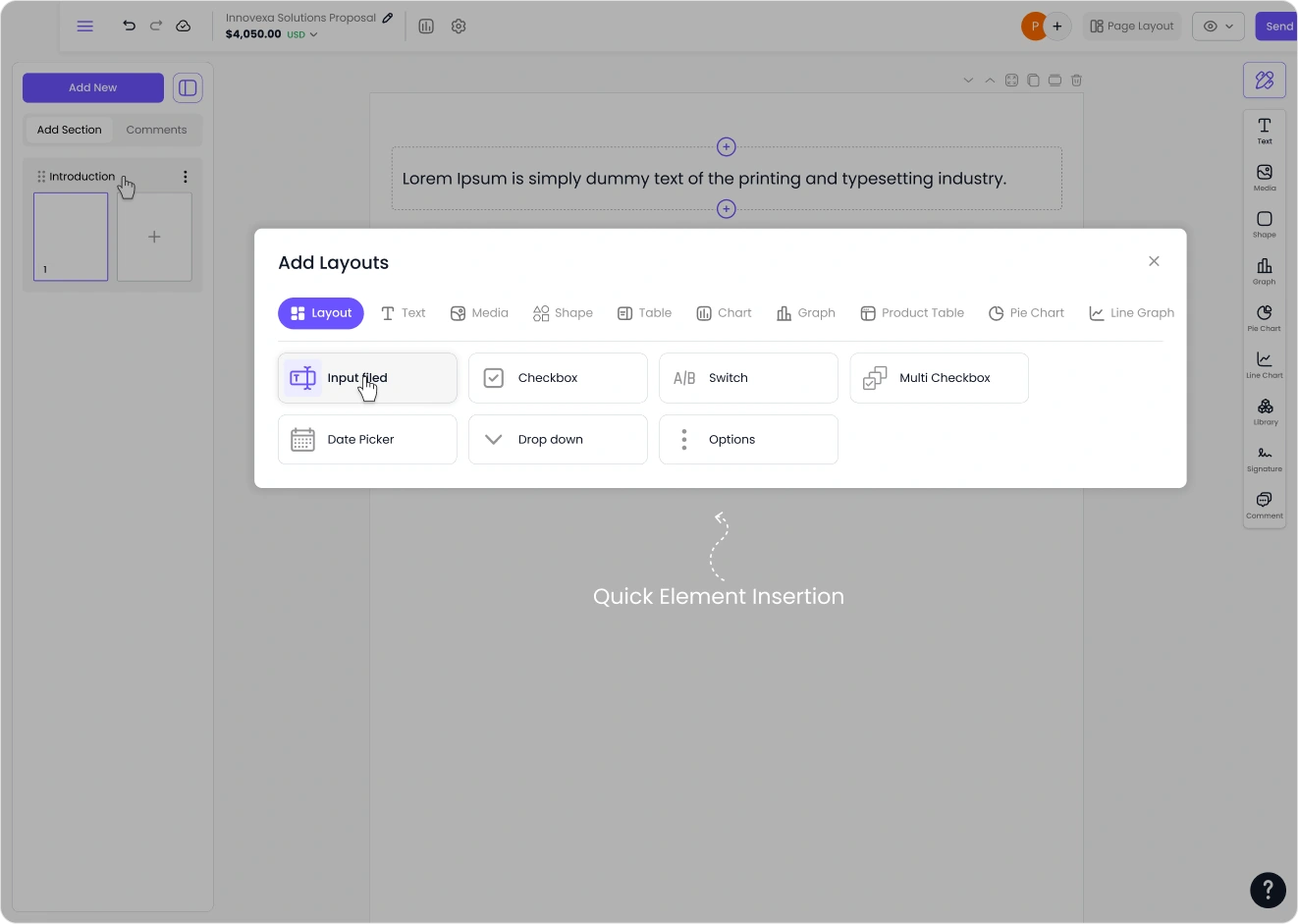
Users can easily expand their document by hovering a section and clicking the inline “+” control to add new elements exactly where they are needed. This reduces unnecessary steps and allows users to build their proposals faster without interrupting their workflow.
Heading 1
Heading 2
Heading 3
Heading 4
Heading 5
Heading 6
Lorem ipsum dolor sit amet, consectetur adipiscing elit, sed do eiusmod tempor incididunt ut labore et dolore magna aliqua. Ut enim ad minim veniam, quis nostrud exercitation ullamco laboris nisi ut aliquip ex ea commodo consequat. Duis aute irure dolor in reprehenderit in voluptate velit esse cillum dolore eu fugiat nulla pariatur.