Transforming Engineering Visualization: A Browser-Based 3D Viewer for Modern Workflows
A' Design Award (Bronze)
Wins A’ Design Award in 2023 for Intelehealth App UX/UI Design
Project Brief
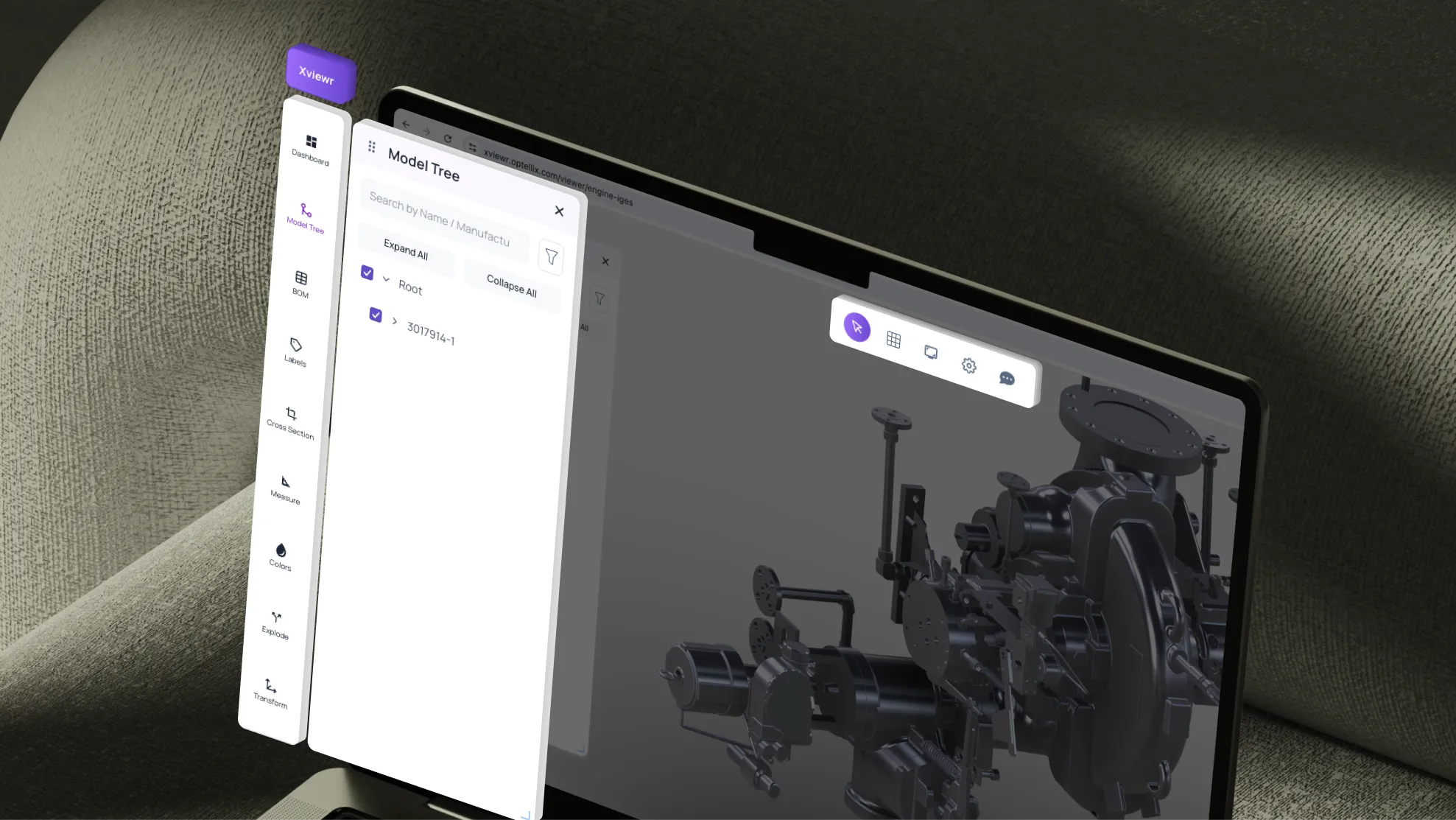
Xviewr is an instant web-based 3D viewer designed for engineering files—AR-ready, white-labeled, and embeddable in minutes. Built by Optellix for product demos, simulation teams, and engineering-first workflows, Xviewr enables teams to visualize complex CAD files directly in the browser without heavy desktop software.
When Optellix approached us, they needed a UX/UI redesign that would make their powerful 3D visualization technology accessible to non-technical users while maintaining the depth required by engineering professionals. The challenge was to create an intuitive interface that could handle complex 3D engineering data while remaining fast, lightweight, and embeddable across platforms.
Heading 1
Heading 2
Heading 3
Heading 4
Heading 5
Heading 6
Lorem ipsum dolor sit amet, consectetur adipiscing elit, sed do eiusmod tempor incididunt ut labore et dolore magna aliqua. Ut enim ad minim veniam, quis nostrud exercitation ullamco laboris nisi ut aliquip ex ea commodo consequat. Duis aute irure dolor in reprehenderit in voluptate velit esse cillum dolore eu fugiat nulla pariatur.
Simplify the learning curve for first-time users while retaining power-user functionality
Create a scalable design system that works across desktop browsers and embedded contexts
Improve discoverability of advanced features (AR mode, measurements, annotations, sharing)
Reduce cognitive load through clear visual hierarchy and intuitive controls
Enable seamless collaboration—viewing, sharing, and annotating 3D models in real-time
The Solution
We designed a clean, modular interface that prioritizes the 3D viewport while intelligently organizing tools and controls. The design balances simplicity for quick viewing tasks with depth for detailed engineering analysis—ensuring engineers, sales teams, and clients can all use the platform effectively.
User Goals & Needs Addressed
Quick file viewing without software installation or long load times
Easy navigation through complex 3D models with intuitive controls
Collaboration capabilities for team reviews and client presentations
Measurement & annotation tools for engineering accuracy
AR readiness for immersive product demos
Embeddability for integration into sales workflows and client portals
Main Navigation
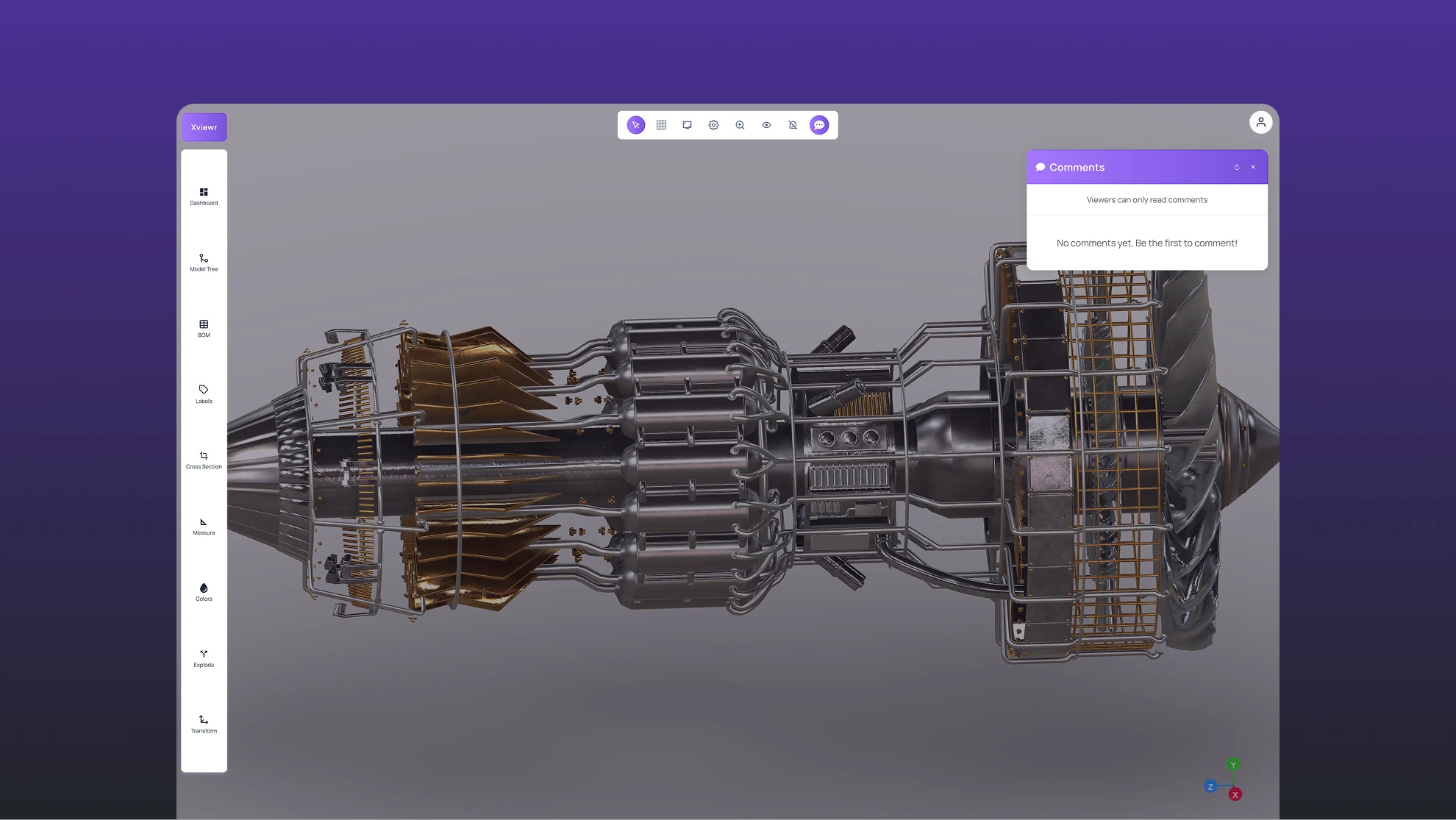
Streamlined access to core functionality without visual clutter. The main navigation provides instant access to file management, view modes, collaboration tools, and settings—organized to keep the 3D viewport as the primary focus. Clear iconography and tooltips ensure discoverability without overwhelming new users.
Side Panel
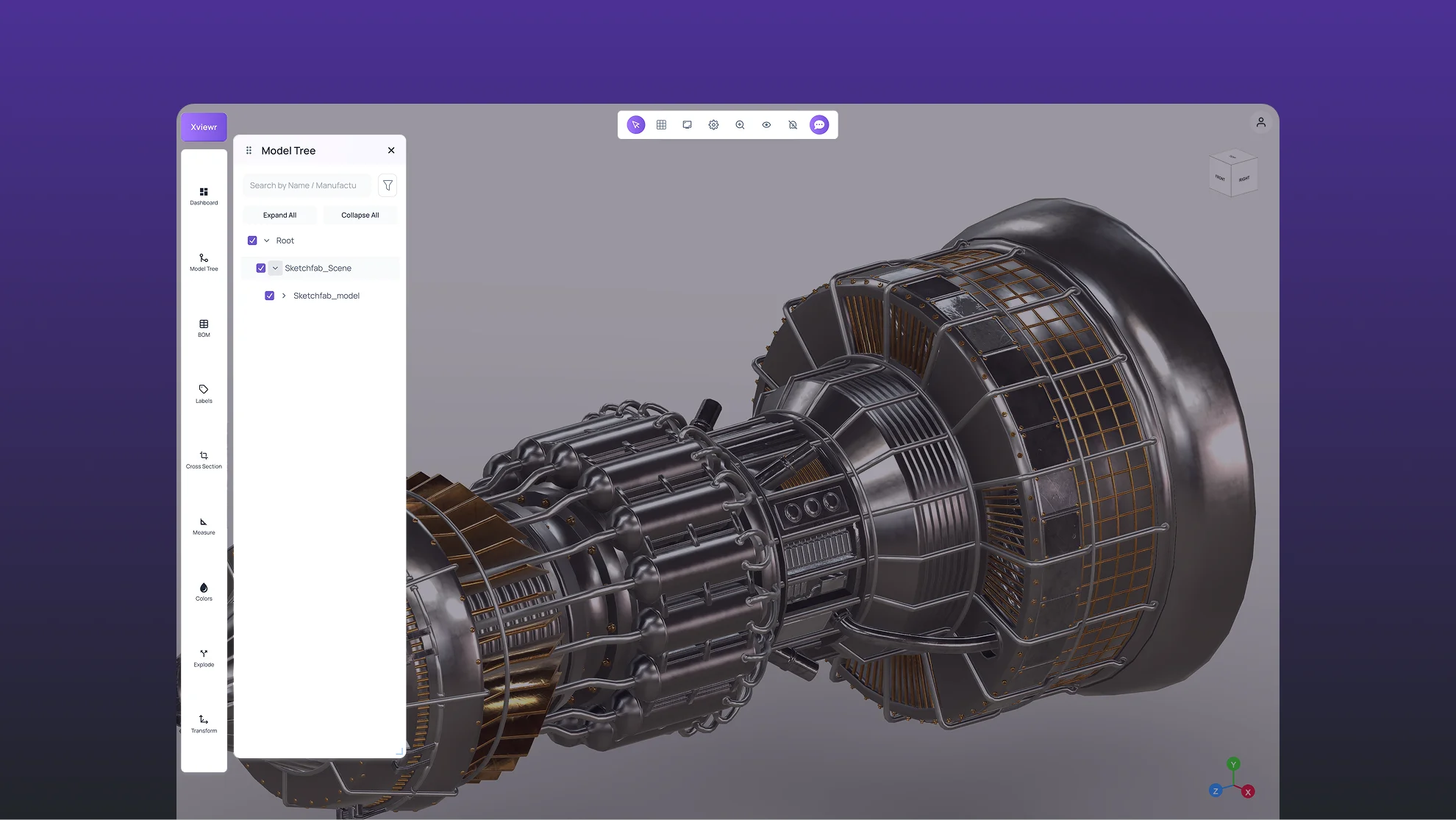
Contextual tools that appear when needed, disappear when not. The collapsible side panel houses file structure, layers, parts list, and annotation history—giving engineers detailed control without permanent screen real estate. Users can toggle visibility based on task, keeping the interface clean for presentations while maintaining depth for technical work.
Right Panel & Widgets
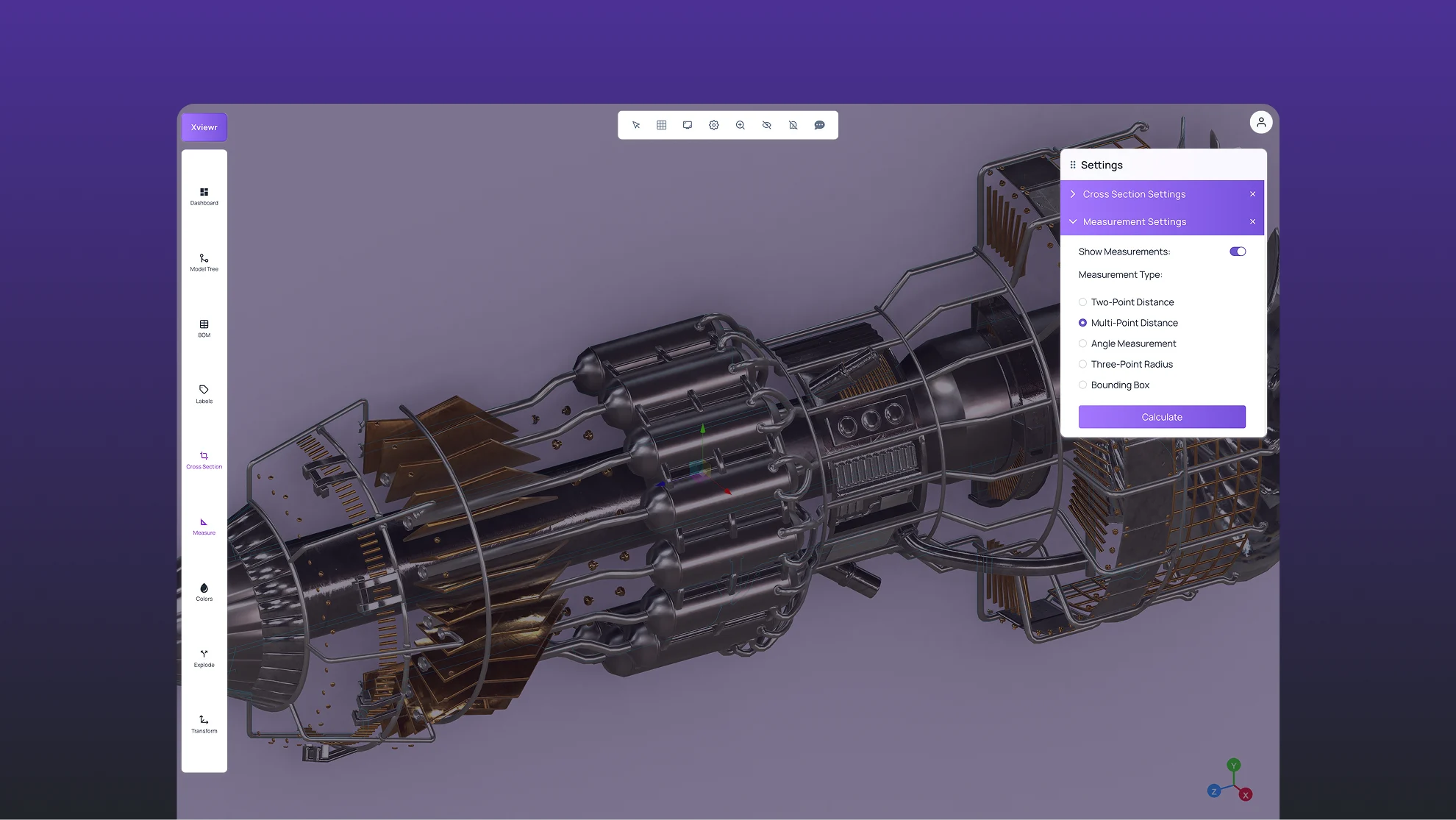
Smart widgets for measurements, annotations, and collaboration. The right panel dynamically displays context-sensitive tools—measurement widgets for dimensional analysis, annotation controls for team feedback, and sharing options for client collaboration. These widgets are modular and can be customized based on user role and workflow needs.
Product Video
Heading 1
Heading 2
Heading 3
Heading 4
Heading 5
Heading 6
Lorem ipsum dolor sit amet, consectetur adipiscing elit, sed do eiusmod tempor incididunt ut labore et dolore magna aliqua. Ut enim ad minim veniam, quis nostrud exercitation ullamco laboris nisi ut aliquip ex ea commodo consequat. Duis aute irure dolor in reprehenderit in voluptate velit esse cillum dolore eu fugiat nulla pariatur.